Superbike8.co.uk – The ultimate bike search engine and price comparison site

Superbike8.co.uk – The ultimate bike search engine and price comparison site
Phone Mounts

A bike phone mount keeps a compatible smartphone visible on the handlebars or near the stem, which can be useful for navigation, ride data and quick access to calls when you are stopped. Mounts differ in how they attach to the bike, how they hold the phone and whether they need a particular case or adaptor. Read more
Showing 1–12 of 16 results
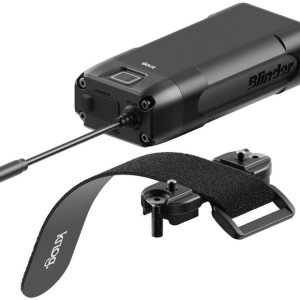
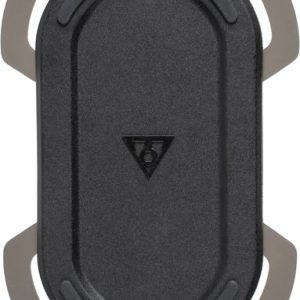


The best choice depends on your phone, your bike’s cockpit and the conditions you ride in.
Before comparing prices, check the complete fit: the mount must suit the handlebar or stem area, and its cradle, clamp or case must hold your phone securely with any case fitted. Also consider portrait or landscape viewing, access to buttons and charging, and whether the design is suitable for wet-weather use. A mount that fits the phone but cannot be securely fixed to your bike is not a suitable match.
On SuperBike8 you can compare products and retailer offers for phone mounts. Product details and included parts can differ, so check the exact model and compatibility rather than relying on a similar-looking product name. Once you have picked an offer, you continue to the retailer; ordering, payment, delivery, returns, warranty and customer service are handled directly by that retailer.
Phone mount designs and how they differ
Bike phone mounts use several ways to secure a phone. Some grip the handset directly with adjustable arms or a cradle; others are designed to work with a specific phone case or an adaptor. Flexible straps and silicone-style holders can wrap around a phone and bike contact points, while some systems attach to the stem area rather than the handlebar. These designs are not automatically interchangeable: mounting hardware, phone retention and compatible cases vary by product.
| Design approach | Can suit | What to check |
|---|---|---|
| Adjustable cradle or clamp | Riders who want a holder that grips the phone without requiring one specific mounting case. | Phone dimensions with its case, grip on the phone’s edges, button clearance and whether the cradle has an additional retention feature. |
| Case- or adaptor-based system | Riders who value a repeatable attachment and are happy to use the compatible case or adaptor. | Exact phone and case compatibility, whether the case is included, and how the case connects to the bike mount. |
| Flexible strap-style holder | Riders looking for a simple, adjustable attachment that may accommodate different phone shapes. | How the strap sits around the phone, whether it covers controls or the screen, and how firmly the mount attaches to the bike. |
| Stem-area mount | Riders who prefer the phone positioned centrally and have a compatible stem or cockpit layout. | Available space, attachment method and clearance from the headset, cables, handlebar and other accessories. |
These are general design approaches, not guarantees about any particular product. Read the retailer’s specification for the exact attachment method and included components. A mount sold with a case, adaptor or separate handlebar clamp is different from a listing for the mount alone.
Check phone fit, case and access
Phone compatibility is more than matching a product name. Measure or check the phone’s height, width and thickness with the case you intend to use. A bulky protective case can take the handset beyond a cradle’s adjustment range; conversely, a mount designed for a particular case may not hold a bare phone or a different case securely. If you use a screen protector, wallet case or battery case, include that in your fit check.
Look at where the mount makes contact. A clamp should hold the phone without pressing awkwardly on side buttons, obstructing the charging port or covering important parts of the screen. Check that the camera remains clear if you plan to use it while stationary. If you swap between phones, consider whether adjustment is quick and repeatable, and whether each handset is within the stated compatibility range.
Portrait orientation can make a route list or vertical map easier to view, while landscape may suit a wider map display. Some holders allow rotation; others position the phone in a fixed direction. Confirm how the phone locks into the mount and whether it can rotate without loosening the bike-side attachment. Avoid assuming that a phone will remain secure simply because it fits into the holder at home: installation and retention should follow the product instructions.
Handlebar and stem compatibility
Bike phone mounts commonly attach to a handlebar, stem or another specified cockpit point. Handlebar diameters and shapes vary, and a clamp that fits one section may not fit another. Check the mount’s stated fit range and the diameter of the exact bar section where you intend to install it. Flat bars, drop bars and unusually shaped or oversized sections can leave different amounts of usable space.
On a drop handlebar, the area near the stem may be crowded by hands, cables, lights or a bike computer. On a flat bar, grips, brake levers and shifters can limit where a clamp sits. A centrally positioned phone can be easy to glance at, but it must not interfere with steering, braking, gear changes or your normal hand positions. Check clearance while the bars are turned fully in both directions, particularly if cables run near the proposed mounting point.
Stem-mounted designs can be useful where there is room around the stem, but not every stem or headset arrangement accepts every attachment. Do not assume that a mount replaces a stem cap or fits a particular interface unless its product details say so. If your cockpit is crowded, a dedicated GPS & bike computer may be a more compact navigation option, depending on the functions you need.
Stability, vibration and weather
A phone sits high and exposed on a bike, so a secure attachment matters on rough surfaces as well as smooth roads. For regular gravel, trail or potholed-road riding, pay particular attention to how the mount locks to the bike and how the phone locks to the mount. A secondary strap or retention feature can provide extra reassurance if included, but it does not make an incompatible or poorly fitted mount safe. Follow the manufacturer’s fitting instructions and check the connection before each ride.
Vibration damping is a feature offered on some mounting systems, not all. It may be worth considering if you ride frequently on rough surfaces or your phone manufacturer advises protection from vibration. Phone camera stabilisation systems vary, so check guidance for your own handset; a damped mount should not be treated as a guarantee against damage. A softer or more complex connection can also affect how rigidly the phone sits, so consider the intended riding conditions and the mount’s instructions together.
Weather protection usually depends on the phone, case and mount design rather than the mount alone. A holder that grips the phone may leave the screen, charging port and buttons exposed. A waterproof case or cover can add protection, but it may make the phone bulkier and reduce access to controls or touch operation. Check whether the mount is specified for use with the cover fitted and whether the phone remains firmly retained. Do not assume a mount is waterproof because it is made from weather-resistant materials.
Positioning, charging and riding safely
Set the mount so you can glance at the screen without taking your attention from the road or trail for long. It should not block your view, force an awkward neck position or prevent you from reaching the brakes and gears. Before riding, enter your destination, choose your route and set up any audio or display options while stationary. Stop somewhere safe before changing settings or interacting with the phone.
Navigation can use battery quickly, especially with the screen kept bright or mobile data and location services active. If you expect a long ride, consider your phone’s battery condition and whether you need a power source. A mount does not necessarily include charging hardware, a cable or a weatherproof charging arrangement. Check precisely what is supplied and whether a cable can be routed without snagging on steering or moving parts.
Adding a phone mount alongside a light, bell or computer can crowd the cockpit. Plan the position of each item before fitting them, making sure that lights remain visible, controls are accessible and cables are not pulled tight. You can compare other accessories, including bike lights and bike bells, but each item needs a suitable mounting position of its own.
How to compare phone mount prices
Retailer prices and available versions can differ, and colours, bundles or older versions may be discounted differently. Compare like with like: check the product name, attachment type, phone compatibility and whether the listing includes the bike-side mount, case, adaptor, tether or other parts you need. A low-priced listing for one component may not provide a complete setup.
Check the full offer details, including any delivery costs that affect the total price. If a product has several variants, confirm that the selected version fits your phone and bike rather than comparing a different size or attachment. SuperBike8 lets you compare products and retailer offers; after choosing an offer, you continue to the retailer for ordering and any questions about stock, delivery, returns or service.
Typical phone mount buying mistakes
- Checking phone compatibility without including the case, battery pack or other fitted accessories.
- Assuming a universal-looking cradle fits every handset or holds it securely on rough roads.
- Ignoring handlebar diameter, bar shape or the limited space around levers, grips and cables.
- Choosing a stem attachment without checking that the stem area and fitting method are compatible.
- Overlooking buttons, charging ports, camera lenses or screen access once the phone is mounted.
- Assuming a mount includes a case, adaptor, clamp, tether or charging accessory when the listing does not say so.
- Expecting a weather-resistant mount to make an exposed phone waterproof.
- Buying a rigid mount for rough riding without considering vibration guidance for the phone.
- Positioning the phone where it obstructs controls, lights, cables or a safe view of the road.
- Comparing different product versions or a single component with a complete mounting system.
Three typical buying decisions for Phone Mounts
1. You want a simple holder for occasional navigation
Start with a cradle or adjustable holder that fits your phone with its everyday case and attaches securely to an available section of your handlebar. Prioritise a clear screen, accessible controls and a stable fit over extra features you will not use. Check whether the necessary bike clamp is included and test that the position does not interfere with braking or gear changes.
2. You ride rough roads or gravel regularly
Give stability and phone compatibility priority. Check the bike-side locking method, phone retention and any manufacturer guidance on vibration damping, especially if your handset has sensitive camera stabilisation. Make sure the mount is intended for your riding conditions and do not rely on an extra tether to compensate for a poor fit.
3. Your cockpit is crowded or you use more than one phone
Measure the available handlebar or stem space and map out the position of lights, levers, cables and other accessories before choosing a mount. An adjustable holder may suit changing handsets, while a case-based system may be convenient if you are happy to use its compatible case. Compare the full cost of the required parts, not just the mount itself.
Your checklist before you order
- Confirm your phone’s dimensions with the case and accessories fitted.
- Check the exact phone, case or adaptor compatibility stated for the mount.
- Measure the handlebar section or check the stem attachment point where it will be fitted.
- Make sure the attachment suits your bar shape and leaves enough space for other controls.
- Check that the phone will not obstruct brakes, gears, cables, lights or your view.
- Decide whether portrait, landscape or adjustable orientation suits your use.
- Check access to the screen, side buttons, camera and charging port.
- Review the phone-retention and bike-mount locking methods.
- Consider vibration guidance if you ride frequently on rough surfaces.
- Check weather protection for the phone itself, including any case or cover.
- Confirm whether the listing is for a complete mount, a case, an adaptor or another part.
- Check whether a tether, cable or other accessory is included if you need one.
- Compare the same model and version across retailer offers.
- Include delivery costs when comparing the total offer.
- Read the retailer’s fitting and compatibility information before ordering.
Frequently asked questions about Phone Mounts
Will any phone fit a bike phone mount?
No. Compatibility depends on the phone’s dimensions, thickness, case and the mount’s design. Check the stated fit range or exact case compatibility with your phone fully equipped as you plan to ride with it.
Can I use a phone mount on drop handlebars?
Often, but fit depends on the mount and the available bar space. Check the compatible diameter and shape, then make sure the holder clears the stem, cables, brake levers and your hands in their normal riding positions.
Do phone mounts protect a phone from rain?
Not necessarily. Many mounts hold the phone without covering it, so protection depends on the handset and any case or cover used. Check whether a cover is included, whether it fits the mount and whether the phone remains easy to operate when covered.
Is vibration damping worth considering?
It may be relevant if you regularly ride rough surfaces or your phone maker recommends protection from vibration. Check guidance for your particular phone and the mount’s intended use; damping cannot guarantee that a handset will be protected from damage.
Can I charge my phone while it is mounted?
That depends on the phone, mount and any charging accessories. Check that the port remains accessible and that any cable can be routed safely without interfering with steering or moving parts. Charging equipment is not necessarily included with a mount.
What should I compare when looking at retailer offers?
Compare the exact model, phone fit, attachment method and included components. Check whether an offer is for a complete mount or only a case, adaptor or other part, and include delivery costs when assessing the total price. Ordering and retailer services are handled by the retailer you choose.