Superbike8.co.uk – The ultimate bike search engine and price comparison site

Superbike8.co.uk – The ultimate bike search engine and price comparison site
GPS & Bike Computers

GPS bike computers and cycling computers range from straightforward displays for speed and distance to feature-rich units with route navigation, ride recording and connections for sensors. Read more
Showing 1–12 of 24 results

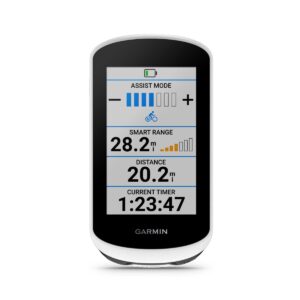
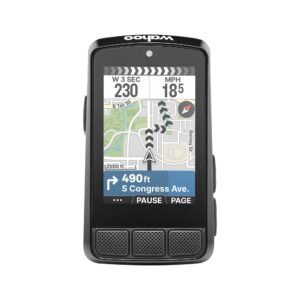
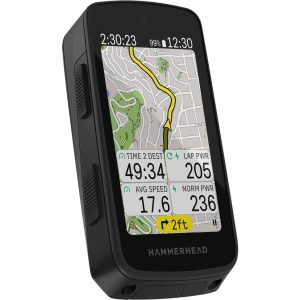

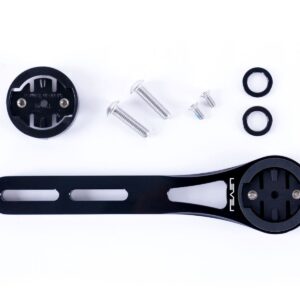
The right choice depends on how you ride: a commuter may want a clear screen and simple operation, while a rider exploring unfamiliar roads may value maps, route guidance and a way to follow a planned ride.
It is useful to distinguish a GPS computer from a wireless bike computer. A basic wireless model typically receives speed or cadence data from a sensor, while a GPS model can use satellite positioning to record location and, on many devices, calculate speed and distance. Some units combine GPS with separate sensors. Features vary, so check the specification for the exact model rather than assuming that every computer offers navigation, mapping or the same sensor connections.
On SuperBike8 you can compare available products and retailer offers in this category. Check that you are comparing the same model and included accessories, as a computer may be listed on its own or with mounts, sensors or other items. Once you have picked an offer, you continue to the retailer; ordering, payment, delivery, returns, warranty and customer service are handled directly by that retailer.
Which type of bike computer suits your riding?
Start with the information you actually use. If you mainly want to see speed, elapsed time and distance, a simple computer may be enough. Riders who train to heart-rate or power targets may need compatible sensors and customisable data screens. For touring, gravel riding or road rides in unfamiliar areas, navigation and route guidance can be more valuable than a large number of training metrics.
| Type or feature | What it can offer | Best suited to | What to check |
|---|---|---|---|
| Basic wireless computer | A simple display of ride data, usually sent from one or more sensors. | Everyday rides where you want basic figures without mapping. | Whether the required sensor is included, and which data it measures. |
| GPS bike computer | Satellite-based ride recording and, depending on the model, navigation, maps or training data. | Riders who want to record routes, follow courses or see more ride information. | Mapping and navigation functions, battery needs, screen readability and mounting system. |
| Sensor-compatible computer | Can display data from compatible devices such as a heart-rate monitor, cadence sensor or power meter. | Training-focused riders who use those measurements during a ride. | Connection protocol, sensor compatibility and whether sensors are sold separately. |
| Phone-based navigation | A cycling app on a smartphone can provide route guidance and ride recording. | Riders who already navigate by phone and are comfortable with its display and battery use. | Mount security, weather protection, battery consumption and app requirements. |
GPS, wireless sensors and speed readings
A GPS unit estimates your position from satellite signals and uses changes in position to record a ride. This can mean you do not need a separate speed sensor for basic ride recording, but GPS reception and the way a device calculates its data can vary with conditions and model. Dense buildings, trees, tunnels and other obstructions can affect reception. A compatible wheel sensor can be useful where you want speed data that does not rely solely on satellite positioning, or when riding somewhere GPS reception is limited.
A wireless computer is not necessarily a GPS computer. Many simpler models use a sensor attached to the bike to send information to the display. Depending on the system, this can include wheel speed or cadence. Check whether the sensor is supplied, whether it needs to be fitted to a particular wheel or crank position, and whether the computer can display the information you want. A listing described as wireless may refer only to the sensor connection, not to GPS navigation.
Some GPS computers support external sensors using Bluetooth, ANT+ or both. These are common ways for cycling devices to communicate, but compatibility is not automatic: check the computer and sensor specifications together. For example, a heart-rate monitor may connect while a particular power meter or e-bike system does not. If you already own sensors, confirm the exact connection support before choosing a computer. If you are starting from scratch, compare the cost and contents of any bundle with the price of the computer alone.
Navigation, maps and route planning
Navigation features differ considerably. Some units can show a simple line or breadcrumb to follow; others provide map views, turn prompts or routes created through a compatible app or service. A device that can record a ride is not necessarily able to create or display turn-by-turn directions. Read the product details to establish whether you can load a route, see a map on the unit, receive off-course prompts and return to a route after taking a wrong turn.
Consider where you ride and how you prefer to plan. Road riders following familiar routes may need only basic guidance, while gravel riders and tourers can benefit from being able to check junctions and route choices on screen. A detailed map can be helpful in unfamiliar areas, but it may involve more setup and menu navigation than a simple data display. Check whether the mapping is built in, needs to be downloaded, or depends on a connected phone or service. Available functions can differ by model and software.
Think about screen size and layout as well as the presence of maps. A larger screen can make route details easier to view, but may take up more handlebar space. The number and size of data fields matter if you want to monitor several metrics at once. Make sure key information is easy for you to read while riding, and avoid relying on a screen that requires frequent interaction in traffic or on rough ground.
Screen, controls and everyday usability
Display type, contrast, backlighting and button layout affect how easily you can use a computer in changing light and weather. A colour screen can make maps easier to interpret, while a simpler display may be sufficient for speed, distance and time. Do not judge usability by screen size alone: look at the information layout, the ease of changing screens and whether the controls can be operated with the gloves you normally wear.
Touchscreen controls can be convenient for menus and map interaction, but buttons may be easier to operate in wet conditions or with gloves. The best arrangement depends on your riding and preferences. If you often ride in rain, check the manufacturer's guidance on weather resistance and operation rather than assuming that every device can be used in the same conditions.
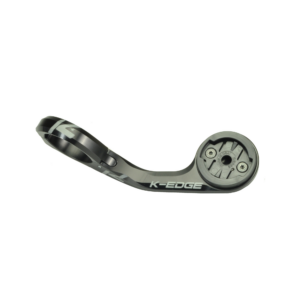
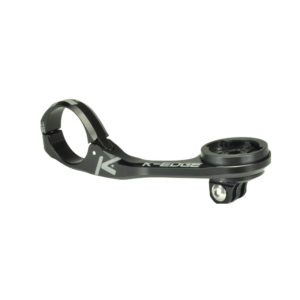
Mounting matters too. Check what mount is included, where it attaches and whether it suits your handlebar or stem setup. Some riders prefer an out-front position, while others need a compact mount because of limited space or handlebar shape. If you use a phone for navigation instead, compare suitable phone mounts and consider whether the phone remains secure and readable on your type of ride.
Battery life, charging and weather
Battery life is especially important if you ride for long periods, use navigation regularly or record many sensors at once. Screen brightness, GPS use, connected devices and features such as frequent route guidance can affect how long a unit runs between charges. Compare the manufacturer's stated battery information for the specific model and consider your longest typical ride, not just your usual commute. A rechargeable computer may be convenient if you can charge it between rides; a replaceable-battery design has different practical considerations.
Plan for how you will charge or replace the battery and check the connection or battery type in the product details. If you use a GPS unit for touring, think about whether you can recharge it during multi-day rides. Do not assume that all computers include a charging cable or that every model uses the same connection. Also consider whether your route recording and navigation needs will be met if you reduce screen brightness or switch off optional functions to conserve power.
Rain, dirt and vibration are part of cycling use, but protection and care instructions are product-specific. Check the manufacturer's recommendations for cleaning, charging and storage. Avoid using cleaning methods or chemicals not approved for the device, and make sure connectors and covers are properly closed as directed. A clear screen and secure mount help with day-to-day use, but neither replaces checking the unit's stated suitability for your riding conditions.
Training data and e-bike compatibility
For structured training, decide which measurements you will actually use. Speed, distance and time are common basics; cadence, heart rate and power require compatible sensors or equipment. If you follow training zones or review ride data afterwards, check whether the computer can show the metrics and screens you want and whether it works with the sensors you already own. A computer with many possible data fields is not automatically useful if you do not have the devices that supply those measurements.
Some bike computers can display information from compatible e-bike systems, but support depends on the particular computer, motor system and connection. Do not assume that a GPS unit will show battery state, assistance mode or other e-bike data simply because it has wireless connectivity. Check both manufacturers' compatibility information and whether any additional connection or setup is needed.
Price comparison: compare like for like
Retailers may list different prices, colours or packages for a similar-looking bike computer. Compare the exact model name and version, because products within a range can have different screens, maps, sensor support or included accessories. A discounted previous-year model may still suit your needs, but check for differences in hardware, mapping, software support and supplied mount before treating it as equivalent to a newer version.
Check whether the listed offer is for the computer alone or includes sensors, a protective cover, a mount or another accessory. A bundle can be better value if you need its contents, but may not be the right comparison if you already own compatible equipment. Delivery costs can also affect the total price. On SuperBike8 you can compare available products and retailer offers, then continue to the retailer you choose. The retailer is responsible for ordering, payment, delivery, returns, warranty and customer service.
To explore related products, browse cycling accessories or compare the available wireless bike computers. Check each product's details rather than assuming that the category name alone tells you which functions or accessories are included.
Typical buying mistakes with GPS & Bike Computers
- Confusing wireless with GPS: a wireless sensor connection does not necessarily mean the computer can use satellite positioning or provide navigation.
- Buying navigation you will not use: maps and advanced route features can add setup and cost, so choose them for a real need rather than a long feature list.
- Assuming every GPS computer gives turn-by-turn directions: confirm route loading, maps, prompts and off-course handling for the exact model.
- Overlooking sensor compatibility: check Bluetooth or ANT+ support on both the computer and any heart-rate, cadence or power sensor you plan to use.
- Missing what is included: a computer-only offer may not include a sensor or the mount you need; bundles can also include items you do not need.
- Choosing a screen without considering readability: compare layout, contrast, controls and screen size for your riding conditions and eyesight.
- Underestimating battery needs: a short commute and a long day ride place different demands on charging and battery life, particularly when navigation is active.
- Ignoring the mounting setup: check handlebar space, mount type and whether the included hardware suits your bike.
- Comparing different model versions as if they were identical: similar names can cover different maps, displays, sensor support or included accessories.
- Expecting e-bike data without checking support: compatibility depends on both the computer and the specific e-bike system.
Three typical buying decisions for GPS & Bike Computers
1. A simple display for commuting and familiar rides
If you mainly want speed, distance and ride time, prioritise clear basic data, straightforward controls and a suitable mount. Decide whether a wireless sensor computer or a GPS model better matches your preference; do not pay for detailed maps if you are unlikely to use them. Check whether any required sensor is included and compare the exact package offered by each retailer.
2. Route guidance for exploring roads or trails
If you ride unfamiliar routes, focus on route loading, map display, navigation prompts and battery needs. Check whether the unit can show the level of map detail you want and whether route planning depends on a phone or compatible service. Screen readability and easy-to-use controls may matter more than a large selection of training metrics.
3. Training with existing sensors
If you already use a heart-rate monitor, cadence sensor or power meter, confirm the connection protocol and compatibility for every device. Check which data the computer can display and whether you need to buy any sensors or mounts separately. A well-matched unit can make your existing equipment more useful; a higher-feature model is not an advantage if it cannot connect to the devices you own.
Your checklist before you order
- Decide whether you need a basic wireless computer, GPS ride recording, navigation or a combination.
- Check that the exact model offers the data fields and functions you intend to use.
- Confirm whether it supports route loading, maps and turn prompts if navigation matters to you.
- Check GPS and sensor functions separately; wireless does not necessarily mean GPS.
- Confirm compatibility with any Bluetooth or ANT+ sensors you already own.
- Check whether sensors are included or sold separately.
- Compare the screen size, readability, display layout and control type.
- Consider battery life for your longest typical ride and how the unit charges.
- Check what mount is included and whether it suits your handlebar setup.
- Confirm e-bike compatibility with both the computer and your particular e-bike system if needed.
- Compare exact model versions, including previous-year models and colour variants.
- Check whether the offer is for a single computer or a bundle, and note all included items.
- Review the retailer's delivery costs and the product details before continuing to its offer.
Frequently asked questions about GPS & Bike Computers
What is the difference between a GPS bike computer and a wireless bike computer?
A GPS computer uses satellite positioning to record location and may also offer route guidance or maps. A wireless bike computer usually receives information from a sensor without a cable; that does not by itself mean it has GPS. Some computers combine GPS and sensor connections, so check the individual specification.
Do I need a speed sensor with a GPS bike computer?
Not always. Many GPS computers can record speed and distance using satellite positioning, but a compatible wheel sensor may be useful in places where reception is limited or if you prefer sensor-based speed data. Check whether the computer supports one and whether it is included.
Does every GPS bike computer provide turn-by-turn navigation?
No. GPS ride recording, route following, map display and turn-by-turn directions are separate capabilities and vary between models. Check how routes are loaded and what guidance appears on the screen before choosing a unit for navigation.
Can I connect a heart-rate monitor or power meter?
Many computers support external sensors, but the connection type and compatibility vary. Check that the computer supports the protocol used by your sensor and that the relevant data can be displayed. Sensors may be sold separately.
Can a bike computer display information from my e-bike?
Some computers can connect to compatible e-bike systems, but support is specific to the computer and the bike's system. Check compatibility information from both manufacturers rather than assuming that wireless connectivity guarantees access to e-bike data.
Should I choose a bike computer or use my phone?
A phone may suit riders who already use a cycling app and are happy with its screen, battery use and mounting requirements. A dedicated computer can provide a purpose-built display and may be more convenient for regular riding. Compare the functions you need, the mount and your typical ride length.
What should I compare when looking at bike computer offers?
Compare the exact model and version, navigation and sensor features, included mount and sensors, battery information and any bundle contents. Retailer prices and delivery costs can differ. On SuperBike8 you can compare available products and retailer offers; ordering and related services are handled by the retailer you choose.