Superbike8.co.uk – The ultimate bike search engine and price comparison site

Superbike8.co.uk – The ultimate bike search engine and price comparison site
Wireless Bike Computers

Wireless bike computers send information between the head unit and sensors without a cable running along the frame. Depending on the model, they can show basics such as speed, distance and ride time, or offer additional information through GPS and compatible external sensors. Read more
Showing all 2 results
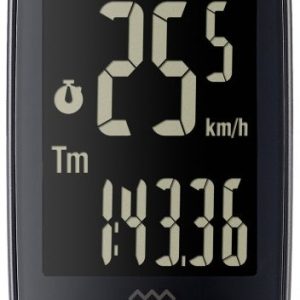
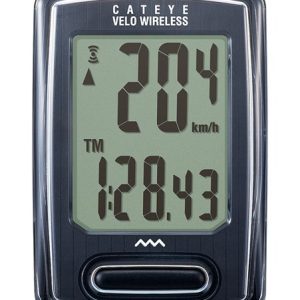
The term “wireless” describes how components communicate; it does not, by itself, tell you which data a computer records or how it obtains it.
The main buying decision is whether you want a straightforward computer for everyday rides or a GPS-enabled unit with navigation and more detailed ride information. Some computers calculate speed using a wheel sensor, some use satellite positioning, and some can use both. Sensor connectivity also varies, so check the product details rather than assuming that every wireless computer will pair with every speed, cadence or heart-rate sensor.
On SuperBike8, you can compare available wireless bike computers and retailer offers. Check the exact model, included accessories and compatibility before comparing prices: a head unit on its own is not necessarily equivalent to a bundle that includes sensors or a mount. Once you choose an offer, you continue to the retailer. Ordering, payment, delivery, returns, warranty and customer service are handled directly by that retailer.
What “wireless” means on a bike computer
On a traditional wired computer, a cable connects the wheel sensor to the handlebar display. A wireless system sends data from a sensor to the head unit by radio, removing that cable. This can make the cockpit look tidier and avoids routing a wire around the fork and frame. It still requires the sensor and computer to be positioned and set up correctly, and wireless communication needs compatible equipment.
Wireless bike computers are not all the same. A basic model may rely on a sensor attached to the fork and a magnet on a wheel spoke. A GPS computer can estimate speed and distance from satellite signals and may also connect to separate sensors. Some units support more than one way of recording speed; others have a more limited set of functions. Read the product description to confirm what is included and supported.
Wireless connection protocols are another compatibility detail. A computer and sensor need to use a communication method they both support. Some devices use a manufacturer's own system, while others support commonly used cycling connections such as Bluetooth or ANT+. Do not assume that a sensor will pair just because both products are described as wireless. Check the specifications for the specific head unit and accessory.
Choose between a wheel sensor and GPS
| Approach | Useful when | Points to check |
|---|---|---|
| Wheel sensor | You want speed and distance readings from a sensor on the bike, including on routes where satellite reception may be interrupted. | Check whether the sensor is included, how it mounts, which connection it uses and whether the computer supports it. The wheel circumference may need to be entered or calibrated. |
| GPS | You want location-based ride recording, and potentially route guidance or mapping on models that provide those features. | Confirm which navigation features are actually offered. Satellite reception can be affected by surroundings, and recording and battery behaviour vary by model. |
| GPS with compatible sensors | You want GPS ride records and additional measurements such as cadence or heart rate, if supported by the computer and sensors. | Check supported connection protocols and whether sensors are sold separately or supplied as part of a bundle. |
A wheel sensor can be a practical choice if you mainly want dependable speed and distance information without mapping features. It needs correct installation and setup: a spoke magnet and sensor must align as instructed, and the computer may need the wheel circumference to calculate distance. If the circumference is entered incorrectly, speed and distance readings can be inaccurate.
GPS can be more convenient if you do not want to fit a separate wheel sensor, and it enables location-based ride recording. It is not the same as navigation, however. Some GPS computers record a route without offering turn-by-turn directions or on-device maps. If navigation matters, check the exact functions, map availability and route-planning requirements rather than relying on “GPS” in the product name.
Decide which ride data you will use
For commuting and casual rides, a clear display of current speed, trip distance and elapsed time may be enough. Riders training to a plan may want additional fields, such as average speed or cadence, while navigation-focused riders should look for route functions that match how they ride. More data is only useful if the unit can record it and you can read it easily while riding.
Cadence and heart-rate readings normally require compatible sensors unless the computer is explicitly described as measuring them another way. Check whether the head unit supports the relevant sensor type and whether the sensor is included. If you already own sensors, confirm their connection protocol and compatibility before buying a new computer. For a first setup, compare the price of a complete bundle with the combined cost of the head unit and any required accessories.
Also consider how the display will work for you. Screen size, contrast, number of data fields and button or touchscreen controls differ between models. A compact display may suit a simple setup and leave more room on the bars, while a larger screen can make multiple fields or navigation easier to view. Buttons can be easier to operate with gloves or in wet conditions, whereas touch controls may work differently in rain. Check the product details and images for the specific design.
Mounting, battery and weather considerations
Check what mounting hardware is supplied and whether it suits your handlebar and preferred position. Some riders want the computer close to the stem; others prefer it further forward for visibility. If you use several bikes, consider whether you will need an additional compatible mount for each one. A sensor may also need to be moved or paired again when transferring the setup, depending on its design.
Battery arrangements vary. A unit may use a rechargeable battery or replaceable cells, and sensor power requirements can differ from those of the head unit. Check the product information for the charging method or battery type, and consider how you will maintain power on longer rides. Do not infer battery life from the word “wireless”; GPS use, screen settings and recording features can affect how often a computer needs charging.
British riding often includes rain and road spray, but weather resistance differs between products. Look for the manufacturer's stated guidance and follow its care instructions. A water-resistant computer should not automatically be treated as suitable for every exposure, such as immersion or pressure washing. After wet rides, wipe the unit and contacts as advised, and avoid forcing a charging cover or port while it is damp.
Compare models and retailer offers carefully
When comparing wireless bike computers, start with the functions you will actually use, then compare the complete specification. Two listings can look similar while differing in GPS capability, sensor support, navigation, included mounts or bundled accessories. Check model names and version details closely, especially where a listing uses a similar name for several variants.
Retailer prices can differ, and discounts may apply to particular models or versions. Previous-year models or older colour options can sometimes be less expensive and may still suit your needs, but do not assume that a similar name means identical software, connectivity or included accessories. Compare the product details for each version.
Check whether the listed product is a single computer or a set. A bundle may include one or more sensors, a mount or other accessories, while a lower-priced listing may be for the head unit alone. Delivery costs can also affect the total price. On SuperBike8, you can compare products and retailer offers, then continue to your chosen retailer; the retailer handles the order and all associated services.
For a broader view of available computer types, see GPS & Bike Computers or browse Accessories.
Typical buying mistakes with wireless bike computers
- Assuming every wireless computer has GPS: wireless may refer only to the connection between a sensor and the display. Confirm whether the unit has GPS if route recording or navigation is important.
- Confusing GPS with navigation: location recording does not guarantee maps, route guidance or turn-by-turn directions. Check the exact feature list.
- Overlooking sensor compatibility: verify that your existing speed, cadence or heart-rate sensor can communicate with the chosen computer.
- Forgetting the sensor is not included: compare bundles and head-unit-only listings on a like-for-like basis.
- Setting the wrong wheel circumference: where the computer uses a wheel sensor, an incorrect setup can affect speed and distance readings.
- Buying more functions than you need: advanced data or mapping can add complexity and cost if you only want basic ride information.
- Choosing a display without considering use: think about readability, mounting position, gloves and whether you need several data fields visible at once.
- Ignoring the mount and bike setup: check what hardware is supplied and whether you need an additional mount for another bike.
- Comparing similar model names as if they were identical: variants and model years can differ in connectivity, features or included accessories.
- Forgetting total cost: account for any separate sensors, mounts and retailer delivery costs when assessing an offer.
Three typical buying decisions for Wireless Bike Computers
1. A simple computer for commuting and everyday rides
If you mainly want speed, distance and ride time, prioritise a clear display and straightforward operation over features you are unlikely to use. Decide whether a wheel sensor or GPS suits your routes, then check what is included and whether setup requires entering wheel circumference. A basic unit can be a sensible choice when navigation and extra sensors are not part of your riding routine.
2. GPS recording for exploring unfamiliar routes
If you want to save and review where you have ridden, look for a model that explicitly supports GPS ride recording. If you also need guidance while riding, confirm that the specific unit provides navigation features rather than assuming they come with GPS. Consider screen visibility, controls and the computer's stated battery and charging arrangements for the length and style of rides you plan.
3. A sensor-connected setup for training data
If cadence or heart-rate information matters to you, check the computer's supported connection methods and the compatibility of each sensor. Compare a bundle against buying components separately, and make sure the listing includes the sensors you need. If you already own sensors, verify the exact compatibility first so you do not pay for replacements unnecessarily.
Your checklist before you order
- Decide whether you need basic ride data, GPS recording, navigation or sensor-based training information.
- Confirm whether the computer uses a wheel sensor, GPS or both.
- Check which data fields the head unit can display and record.
- Verify compatibility with any speed, cadence or heart-rate sensors you already own.
- Check the supported wireless connection methods for both the computer and sensors.
- Confirm whether the listing is for a head unit only or a bundle.
- Check which sensors, mounts and other accessories are included.
- If using a wheel sensor, check how it attaches and whether wheel circumference setup is required.
- Consider screen readability, button or touchscreen controls and handlebar position.
- Review the stated battery or charging arrangements and weather guidance.
- Compare the exact model and version, not just a similar product name.
- Check whether an older model year or colour variant has different features or accessories.
- Include any separately purchased accessories and retailer delivery costs in your comparison.
- Review the retailer's product details before continuing to its offer.
Frequently asked questions about Wireless Bike Computers
Does a wireless bike computer always use GPS?
No. “Wireless” can describe communication between a computer and a separate sensor. Some wireless computers use a wheel sensor rather than GPS, while other models include GPS. Check the product specification for the functions you need.
Is a GPS bike computer the same as a navigation computer?
Not necessarily. GPS can record location and ride routes, but navigation features such as maps or turn-by-turn guidance depend on the particular model. Confirm those features in the listing before choosing.
Can I use my existing wireless sensors?
Possibly, if the computer and sensors support compatible communication methods. Check the connection details for both products, and confirm that the computer supports the type of sensor you want to use.
Do wireless bike computers need a separate sensor?
It depends on the model and how it measures speed. A computer that uses a wheel sensor needs a compatible sensor, which may or may not be included. A GPS model can obtain location-based ride data without a separate wheel sensor, though external sensors may be needed for additional measurements.
Why does wheel circumference matter?
A wheel-sensor computer may use the circumference to calculate speed and distance from wheel rotation. Follow the manufacturer's setup instructions and enter or calibrate the measurement as directed; an incorrect setting can lead to inaccurate readings.
How should I compare wireless bike computer prices?
Compare the exact model and version, included sensors and mounts, supported functions and any additional accessories you need. Check retailer delivery costs as well. SuperBike8 lets you compare products and retailer offers; ordering and related services are handled by the retailer you choose.